Jesse Rego

Intro

Thanks for the time, Garrett.

This page is a visual presentation script for how I operated inside Workday Platform UX: my role, my systems process, and two framework case studies that show how architectural thinking translated into adoption and platform impact.

The goal is not to walk through a dense portfolio page. It is to create a cleaner, more structured conversation about architecture, frameworks, and the kind of systems work that maps directly to this Netflix role.

Platform UX role Systems process Forms Framework Suggestive Prompt Framework
Talk-through

What this page covers

01

Role

Where I sat within Workday Platform UX and how I balanced framework work with embedded product adoption.

02

Process

The lifecycle I use when the problem is a system gap rather than a one-off feature.

03

Case studies

Forms Framework and Suggestive Prompt Framework, plus how prompt work led to a broader Selection Framework pitch.

My Role In Platform UX

My role sat between platform structure and product reality.

At Workday, a meaningful part of my impact came from helping teams understand what the platform was capable of, where the design system was breaking down, and how product work could align with architecture instead of drifting away from it.

Role balance 40%

Frameworks, patterns, and platform systems

Defining reusable models, UI architecture, framework guidance, and adoption structures that product teams could build against.

Role balance 60%

Embedded product work driving adoption

Working inside real product initiatives so framework thinking was grounded in real constraints, real partners, and real rollout needs.

Platform UX map

Where I sat in the system

Product teams

Product Teams

Embedded product surfaces where platform adoption had to prove itself in real workflows.

  • Recruiting
  • Financials
  • Security
  • Support
Platform UX Bridge layer
Platform systems

System structures I worked within

  • Design Systems
  • Frameworks
  • Patterns
  • Adoption
How the work unfolded

From architecture ambiguity to product clarity

01 Audit

Audit product surfaces, internal tools, repositories, and system drift.

02 Align

Map design artifacts to engineering reality and identify the real structural friction.

03 Define

Turn findings into a framework model, system narrative, and reusable guidance.

04 Adopt

Validate in product, socialize across teams, and create a path teams could actually follow.

Readout

What made this role valuable

  • Identified structural friction between design and engineering workflows.
  • Clarified which libraries and patterns were safe to use.
  • Raised technical literacy across the UX org.
  • Improved design system adoption by making the architecture legible.
The opportunity was usually bigger than a component. It was about making the system understandable enough that teams could align around it.
85%+
Legacy product interface enhanced through the Forms Framework.
80%+
Design system alignment reached through the prompt initiative.
125+
UX peers supported through org up-level and platform education work.
400+
Patterns documented through pattern and framework library work.
My Process

A systems lifecycle instead of a screen-by-screen design flow.

This is the process I return to when the work is architectural: understand the system gap, make the current state visible, isolate a reusable pattern, build the framework model, prove it in product, then operationalize adoption.

01

Understand system gap

Identify where platform intent and product reality are breaking apart.

02

Map existing architecture

Audit repos, tooling, components, interaction patterns, and ownership seams.

03

Identify reusable pattern

Separate local symptoms from the repeatable structure underneath them.

04

Build framework model

Define architecture, primitives, guardrails, and a model teams can understand.

05

Pilot in product

Validate in real workflows and confirm the framework holds under real constraints.

06

Operationalize adoption

Document, explain, teach, and create rollout paths that product teams can actually use.

Case Study 1

Forms Framework

A framework response to a structural problem: Workday’s legacy product was largely non-responsive, inconsistent, and difficult to scale.

Problem

Legacy forms were structurally weak

No responsive grid, poor scanability, misaligned fields, and too much empty space across dense product workflows.

System insight

Forms followed a repeatable model

The issue was structural, not isolated. Once the form model was clear, the right insertion point for change became obvious.

Page
Sections
Rows
Fields
Framework

Responsive grid + reusable form structure

I introduced a responsive grid into the forms framework itself, with reusable spacing, column rules, prompt alignment logic, and breakpoints.

Impact

Platform-level improvement

The framework modernized layout at scale without requiring a brittle component-by-component rewrite.
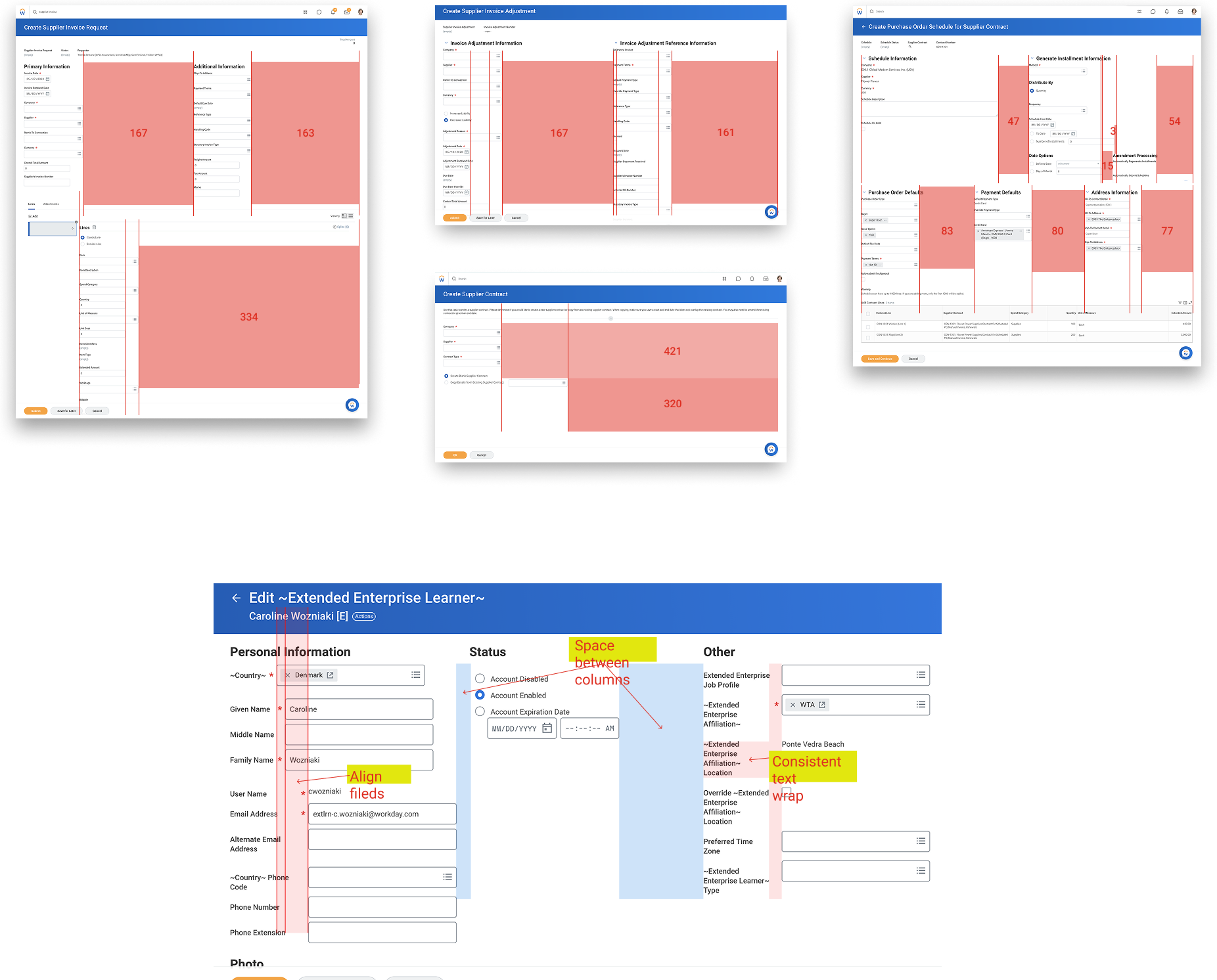
Legacy forms showing structural inconsistency and dense layouts
Audit examples showing jagged field alignment, poor scanability, and missing layout structure in legacy forms.
Framework details

How the model translated into implementation

  • Compared product roadmaps against Canvas adoption opportunities.
  • Identified forms as a high-leverage surface across the suite.
  • Embedded the grid into the forms framework, not into isolated screens.
  • Preserved compatibility with internal drag-and-drop tooling and existing component APIs.
85%+
Legacy product surface enhanced through the framework.
5
Core components migrated into the new structure.
75M
Global users impacted by improved alignment and responsiveness.
1
Scalable foundation for accessibility and long-term maintainability.
Case Study 2

Suggestive Prompt Framework

This started as a smarter input request, then exposed a much larger platform opportunity around prompt behavior, structured selection, and the need for a clearer framework model.

Problem

Users did not know what to search or enter

Teams wanted smarter input assistance because users often lacked confidence on what query, value, or term to provide.

Pattern discovery

Intent, suggestions, and selection were already overlapping

I found that user intent, prompt suggestions, pills, and structured selection patterns were solving adjacent problems inconsistently across the suite.

Prompt framework

Reusable component model

The prompt work became a reusable framework direction grounded in existing infrastructure, Canvas alignment, and real product workflows.

Expansion

A larger platform opportunity surfaced

The work uncovered a broader selection architecture problem and gave me a stronger case for a Selection Framework pitch.

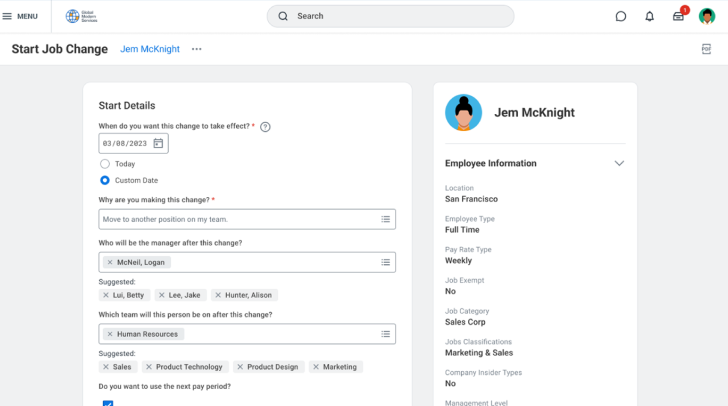
Suggestive prompt framework concept in a real product task
A suggestive prompt concept grounded in real product tasks instead of an abstract component exercise.
Prompt logic

The key pattern insight

  • User intent needs guidance.
  • Prompt suggestions reduce uncertainty and improve input efficiency.
  • Structured selection patterns become necessary when suggestions and choice-making start to converge.
  • This is where a prompt problem became a selection framework problem.
Framework expansion

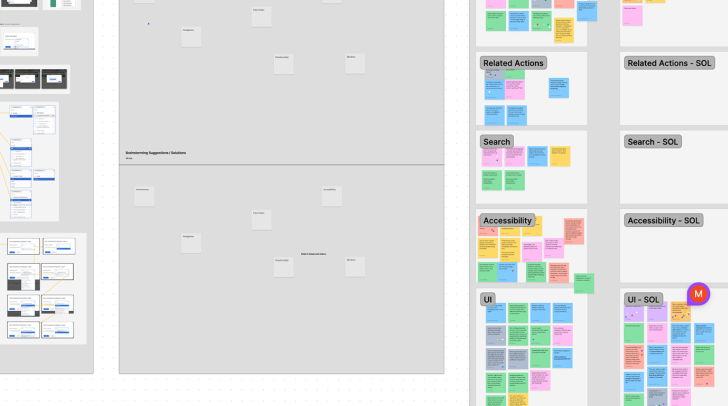
How prompt work led to a broader selection pitch

Step 01

Prompt Framework

Defined reusable prompt behavior, suggestion surfaces, and alignment with Canvas.

Step 02

Selection Model

Clarified overlap between prompts, pills, multi-select, and adjacent selection patterns.

Step 03

Selection Framework Pitch

Presented the broader platform opportunity to leadership as a systems investment, not a one-off feature.
Impact

System outcomes

  • 80%+ design system alignment.
  • 4 product areas prepared for GA rollout.
  • One ML-powered prompt offering for the suite.
  • Selection patterns rationalized and positioned as a broader systems opportunity.
Frameworks & Platform Surfaces

Other platform capabilities I contributed to.

This work was not limited to two case studies. Across Workday, I regularly contributed inside platform capabilities where the design challenge was really about architecture, clarity, and reusable systems.

Capability 01

Campaign Management

  • Send Message Enhancement
  • Document Generation Framework
  • Survey creation
Capability 02

List Detail Functionality

  • Inbox functionality
  • Notification Architecture
Capability 03

Business Process Framework

  • Parallel step functionality
Capability 04

Page Builder Platform

  • Expression & Loop builder
  • Flow builder
  • App Creation Dashboard
  • UX investment model
Capability 05

Configurable Security

Worked inside a structural permissions framework where architecture clarity and product usability were tightly linked.

Capability 06

Implementation Home

Connected platform structure to onboarding and implementation guidance so customers had clearer entry points into setup and configuration.

Why this matters

The common thread is platform architecture and system clarity.

  • I am most useful when the problem is bigger than a screen.
  • I like operating where platform structure, product constraints, and adoption all meet.
  • I tend to turn ambiguity into reusable models, clearer ownership, and stronger system coherence.
Closing

This is the kind of systems work I would be excited to continue at Netflix.

What pulls me toward architecture and systems design is the chance to improve not just the UI, but how teams think, align, and build together. That has been the most meaningful through-line in my Platform UX work at Workday, and it is exactly why this Netflix role feels like such a strong fit.